

Connected Vape Pen Battery Instructions: A Comprehensive Guide
Understanding how to properly use and maintain your connected vape pen battery is essential for a safe and enjoyable vaping experience. This guide provides detailed connected vape pen battery instructions, covering everything from initial charging to troubleshooting common issues. We'll discuss battery safety, operation, and optimal practices to maximize performance and longevity. Proper usage can extend the life of your battery and ensure consistent vapor production.
Initial Charging and Setup
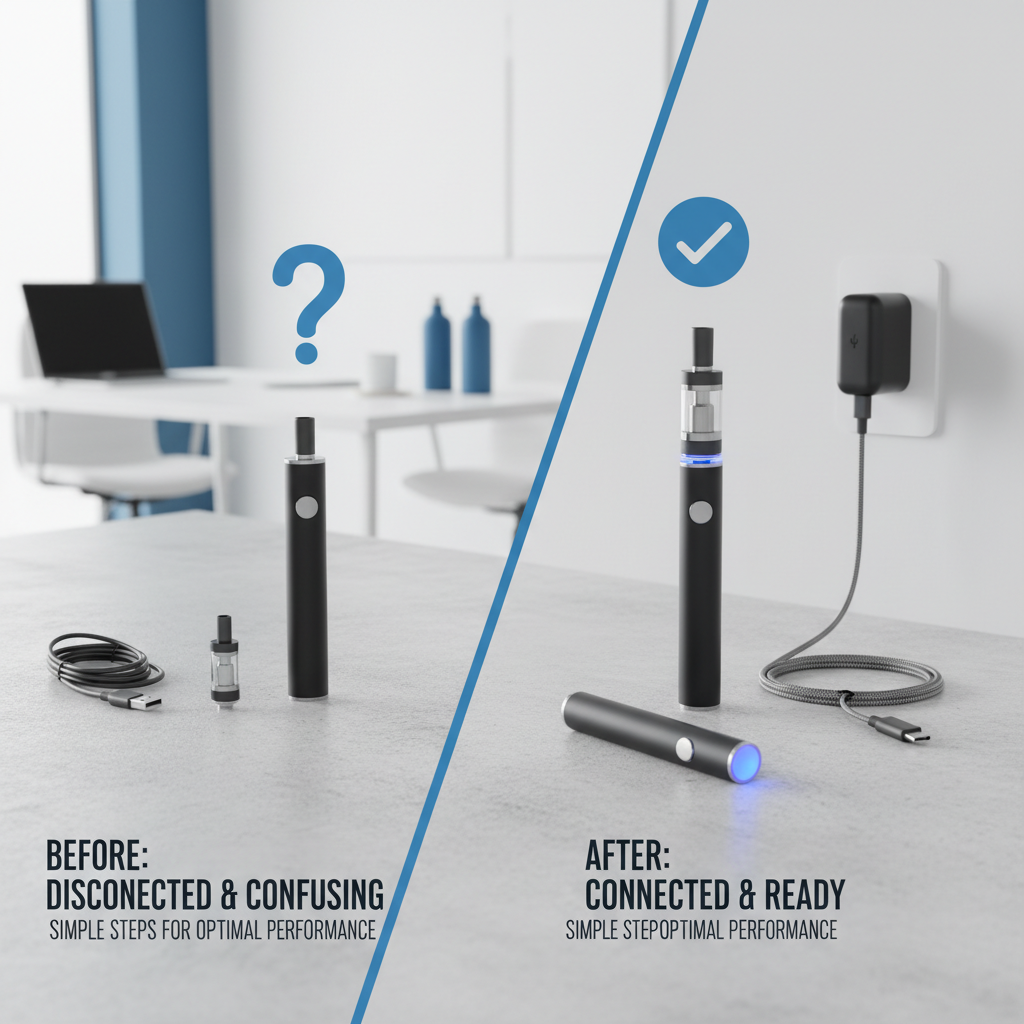
Before using your connected vape pen battery for the first time, it's crucial to fully charge it. Most batteries utilize a standard USB charging cable. Connect the cable to a reliable USB power source and plug it into the battery's charging port. A small LED indicator will typically illuminate during charging, often changing color to indicate a full charge. Avoid using fast chargers, as they can potentially damage the battery. Once fully charged, disconnect the battery and familiarize yourself with the power button operation – usually five quick clicks to turn the device on and off. Ensure you understand the button functions before attaching a cartridge or pod.
Key Reminder: Always fully charge your battery before its initial use. Using a fast charger is not recommended, it may cause battery damaged.
Understanding Battery Indicator Lights
Most connected vape pen batteries employ LED indicator lights to communicate battery status. These lights provide essential information about the remaining power, charging progress, and potential issues. Common color codes include: Green (fully charged), Yellow/Orange (medium charge), and Red (low charge/needs charging). Some batteries also have specific flash patterns to indicate short circuits, overheating, or other malfunctions. Refer to the battery's user manual for a precise interpretation of the indicator lights specific to your model. Ignoring warning signals can lead to poor performance or even damage to the battery.
Battery Indicator Light Guide:
• Green: Fully Charged
• Yellow/Orange: Medium Charge
• Red: Low Charge/Needs Charging
• Flashing Red: Potential Malfunction (Refer to Manual)
Connected Vape Pen Battery Features and Settings
Many modern connected vape pen batteries offer adjustable voltage or wattage settings, allowing you to customize your vaping experience. These settings control the power delivered to the atomizer, influencing vapor production and flavor intensity. Refer to your battery's manual to learn how to navigate and adjust these settings. Some batteries also feature pre-set modes optimized for different vaping styles, such as “Power” or “Flavor” mode. Experimenting with different settings will help you find the ideal configuration for your preferences.
Battery Safety Precautions
Safety is paramount when using vape pen batteries. Avoid exposing the battery to extreme temperatures (heat or cold). Never leave a charging battery unattended. Do not drop or impact the battery, as this can cause internal damage. Always use a compatible charging cable and power source. If the battery is damaged, leaking, or exhibiting unusual behavior, discontinue use immediately and dispose of it responsibly according to local regulations. For additional safety information, visit SXzpods.

Troubleshooting Common Issues
If your connected vape pen battery isn’t working as expected, here are some common troubleshooting steps: 1) Ensure the battery is fully charged. 2) Check the connection between the battery and the cartridge/pod. 3) Clean the battery contacts with a cotton swab dipped in isopropyl alcohol. 4) If the device is not turning on, try a different charging cable and power source. 5) If problems persist, consult the battery’s user manual or contact the manufacturer's customer support at SXzpods.
Conclusion: Maximizing Your Vaping Experience
Following these connected vape pen battery instructions will help you ensure a safe, enjoyable, and consistent vaping experience. Regular maintenance, proper charging practices, and a clear understanding of your battery's features are key to maximizing its performance and longevity. Don’t hesitate to consult the user manual or contact customer support if you encounter any issues.
Frequently Asked Questions (FAQs)
How often should I replace my vape pen battery?
The lifespan of a vape pen battery varies depending on usage, charging habits, and the quality of the battery itself. Generally, it's recommended to replace your battery every 6-12 months, even if it appears to be functioning correctly. Over time, battery capacity degrades, leading to reduced performance and potential safety risks. Consider replacing the battery sooner if you notice significant drops in battery life, inconsistent performance, or visible damage. Proper care and storage can extend the battery's lifespan, but regular replacement is essential for safety and optimal vaping.
Can I use any USB charger with my vape pen battery?
While most vape pen batteries use standard USB charging, it's crucial to avoid using fast chargers or chargers with a voltage higher than 5V/1A. Fast chargers can deliver excessive power, potentially damaging the battery and shortening its lifespan. Always use the charging cable and power adapter that came with your battery, or a standard USB charger specifically designed for electronic devices. Using the wrong charger can void your warranty and create a safety hazard.
What should I do if my battery is overheating?
If your vape pen battery is overheating, immediately stop using it and disconnect it from the charger. Allow the battery to cool down completely before handling it. Overheating can be caused by overcharging, short circuits, or exposure to extreme temperatures. Do not attempt to use the battery again until you've identified and resolved the cause of the overheating. If you're unsure about the cause, contact the manufacturer or a qualified technician for assistance. Never leave a hot battery unattended, and dispose of it safely if it's damaged.
Latest News
-
Mastering Your Device with Essential o pen vape instructions
NewsApr.09,2026 -
Comprehensive Mist Vape Pen Instructions for Optimal Vaping Experience
NewsApr.07,2026 -
Comprehensive Hybrid Vape Pen Instructions for Optimal Performance and Safety
NewsApr.04,2026 -
Comprehensive Purple Vape Pen Instructions for Safe and Enjoyable Use
NewsMar.31,2026 -
Comprehensive In House Vape Pen Charging Instructions for Optimal Performance
NewsMar.28,2026 -
Comprehensive Craft Vape Pen Instructions for Optimal Vaping Experience
NewsMar.26,2026